
Email
DuliDuli Email is an enterprise email service provided by Duli. Deeply integrated with the Workbench and Messaging Assistant, it allows you to manage your emails directly on Duli, ensuring timely information synchronization and efficient email handling.
Page Overview
- Main Email Page
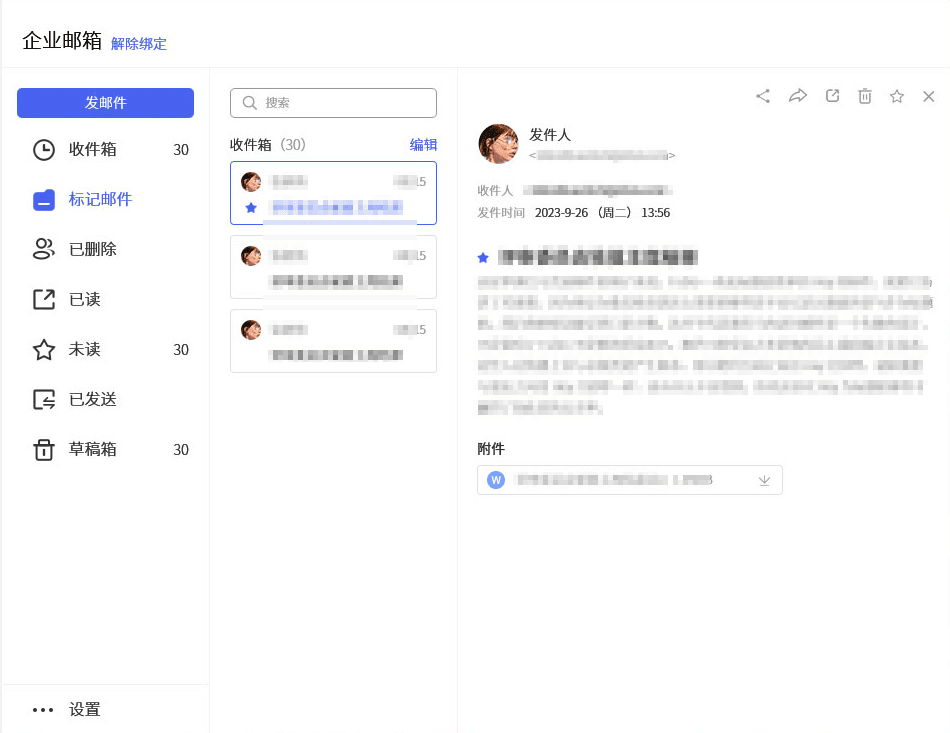
- Search Bar: Search for emails, contacts, email content, and more.
- Compose: Click to access the email composition interface.
- Folder List: Quickly find and filter emails in folders like Sent, Deleted, Read, Unread, and manage them.
- Email List: Quickly view all emails under different categories and perform actions like delete, flag, etc.
- Email Details: View the email's content and reply, forward, flag, delete, etc.
- Compose
- Address Field: Enter recipient, BCC, and CC email addresses.
- Subject Line: Input the email's subject or title.
- Toolbar: Add formatting, schedules, signatures, and more while composing.
- Body Field: Write the email's main content.
Sending Emails
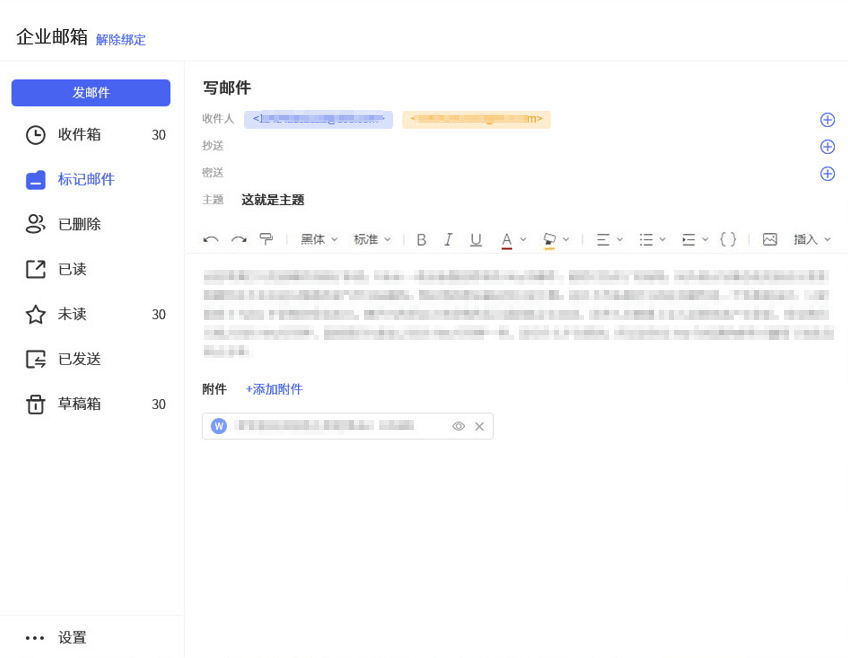
Enter the email interface, click Compose, and start creating your email.
- When adding recipients:
- Directly add contacts without needing their email addresses.
- Add recipients to CC and BCC.
- When writing the email body:
- Use the format painter to quickly adjust text styles.
- Use the toolbar to create a clear email structure, insert images, links, etc.
- Add attachments at the bottom of the body to send them to all recipients.
Receiving Emails
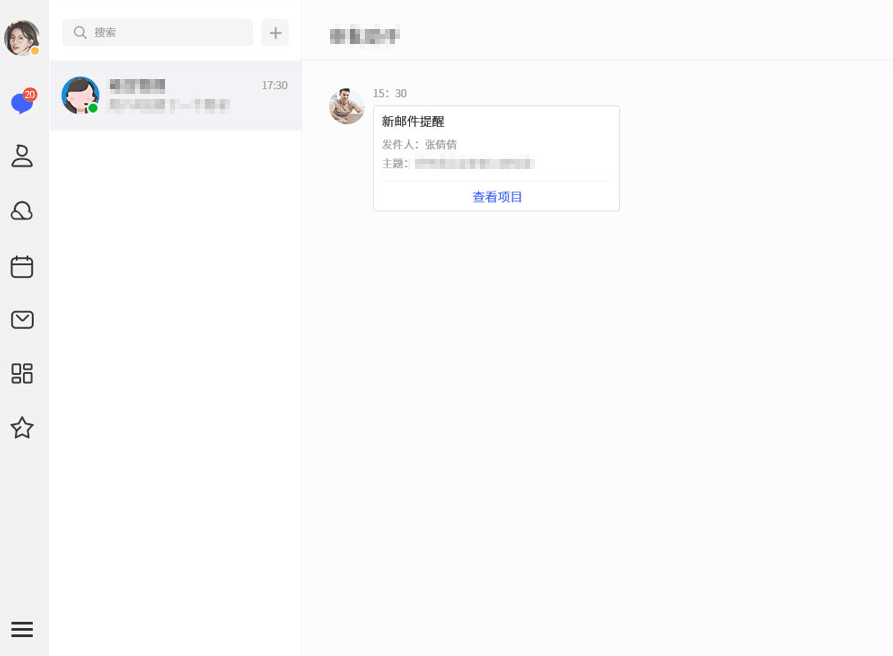
View emails in the Inbox of the email app.
- When a new email arrives, in addition to email notifications, the email assistant bot will push it to your instant messages.
- Share emails with one click in chats to sync information and discuss content quickly with members or groups.
Integrated Emails
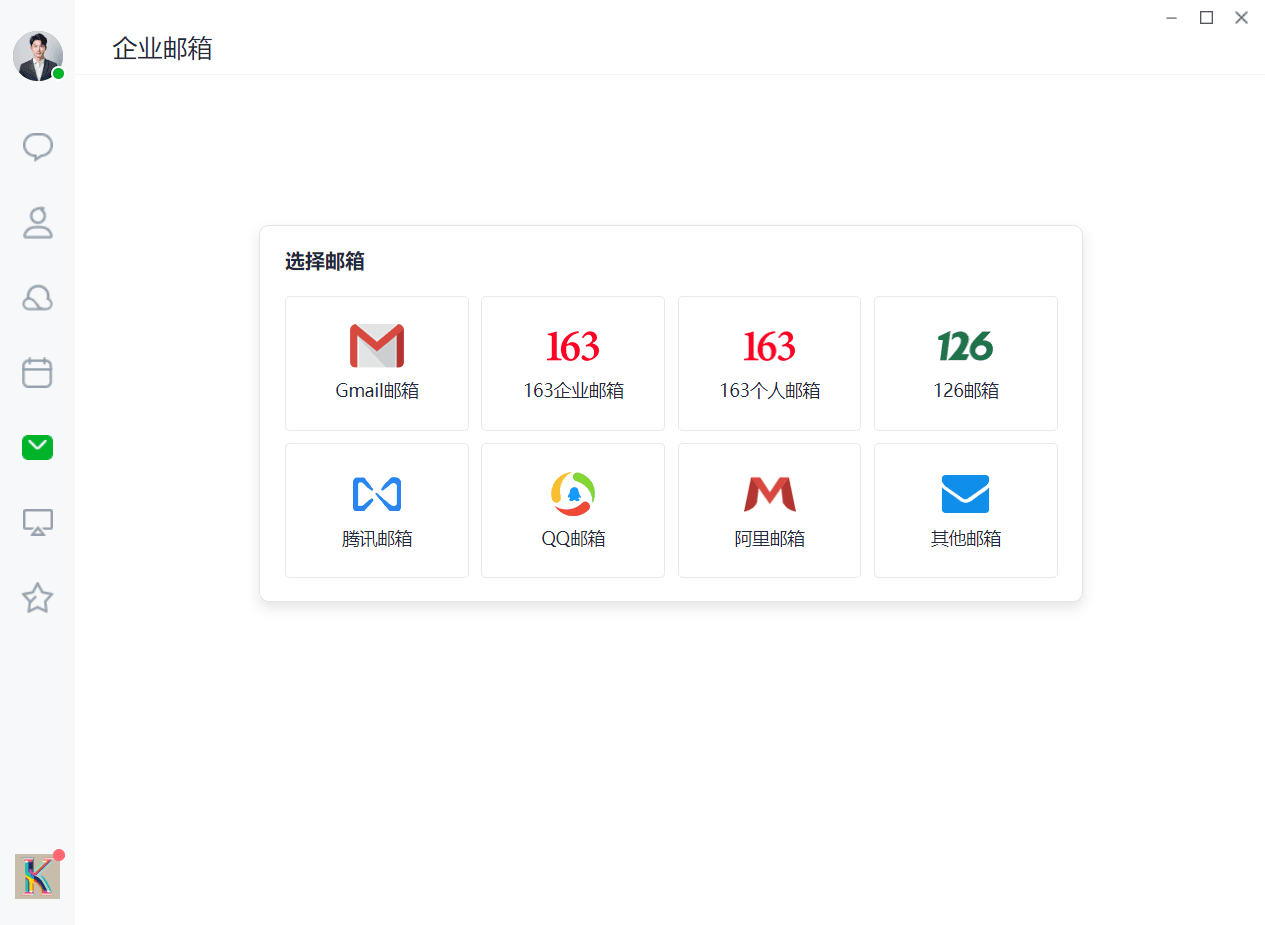
DuliDuli Email supports binding other corporate email accounts, allowing you to send, receive, and manage emails from third-party email accounts directly on DuliDuli.
On the email page, select the email to log into and enter your email address and password.
Once logged in successfully, Duli will sync third-party email data, enabling you to manage emails on DuliDuli.
On the email page, select the email to log into and enter your email address and password.
Once logged in successfully, Duli will sync third-party email data, enabling you to manage emails on DuliDuli.
On the email page, select the email to log into and enter your email address and password.
Once logged in successfully, Duli will sync third-party email data, enabling you to manage emails on DuliDuli.
On the email page, select the email to log into and enter your email address and password.
Once logged in successfully, Duli will sync third-party email data, enabling you to manage emails on DuliDuli.
On the email page, select the email to log into and enter your email address and password.
Once logged in successfully, Duli will sync third-party email data, enabling you to manage emails on DuliDuli.
On the email page, select the email to log into and enter your email address and password.
Once logged in successfully, Duli will sync third-party email data, enabling you to manage emails on DuliDuli.
On the email page, select the email to log into and enter your email address and password.
Once logged in successfully, Duli will sync third-party email data, enabling you to manage emails on DuliDuli.
On the email page, select the email to log into and enter your email address and password.
Once logged in successfully, Duli will sync third-party email data, enabling you to manage emails on DuliDuli.