Attendance Configuration
1、Shift Management
Path: Admin → [Backend] → [Workbench] → [Attendance Check-in] → [Shift Management]
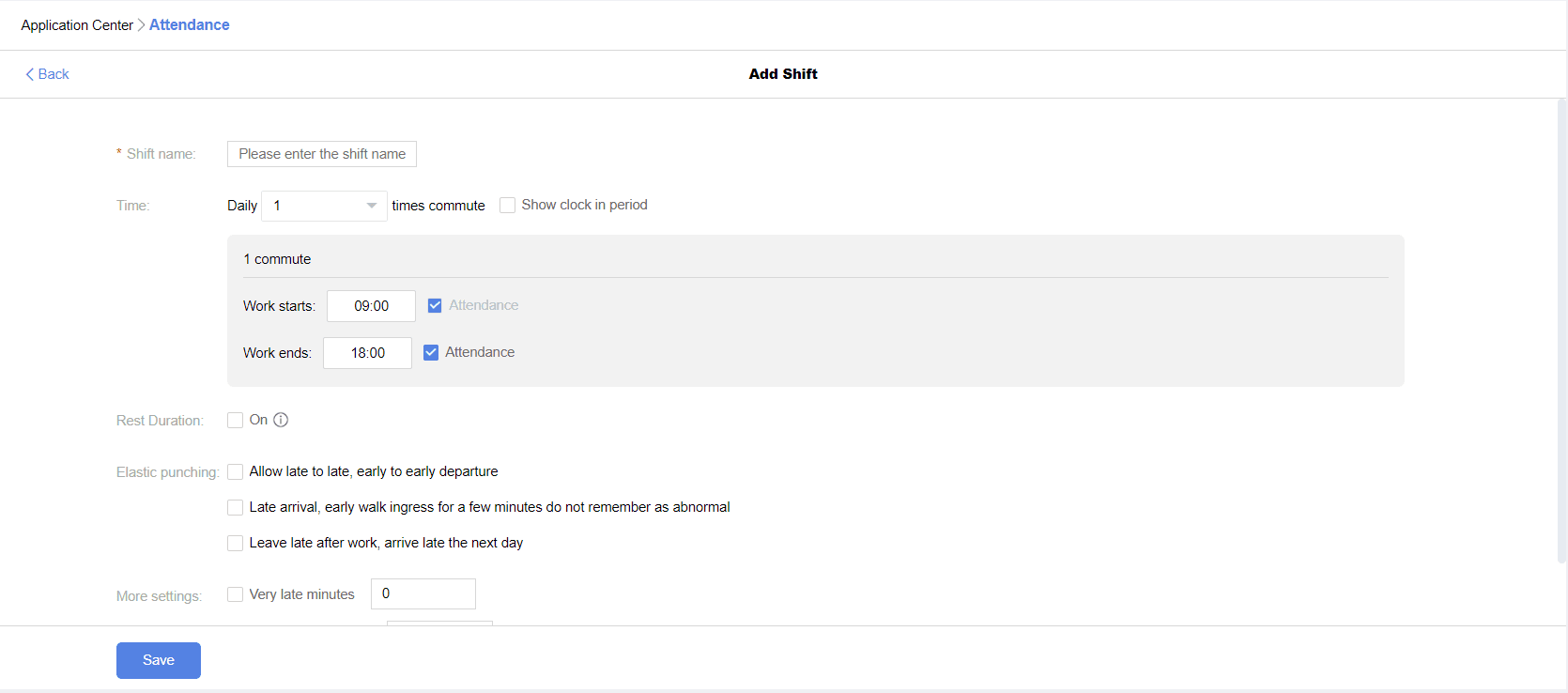
Shift Settings
Shift Name: Duplicate names allowed
Check-in Times: Default 1 check-in/out per day, up to 3 check-ins/outs per day
Default: First check-in time is selected and cannot be deselected
Display Check-in Period: Default unselected; when selected, can set check-in range
Next check-in cannot be earlier than the previous one; allows next-day check-in
Work Breaks: Available for 1 check-in/out per day; for multiple check-ins/outs, this option is unavailable
When work breaks are set, rest time is automatically deducted from working hours
Flexible Check-in: Allows choice between late arrival/late departure, early arrival/early departure, or late arrival/early departure
Late departure allows late arrival the next day: supports multiple rules for late arrival/departure
Severe Lateness: Default unselected; when selected, can set the threshold for severe lateness
Absence Due to Lateness: Default unselected; when selected, can set the threshold for absence due to lateness
2、Attendance Group
Path: Admin → [Backend] → [Workbench] → [Attendance Check-in] → [Attendance Group Management]
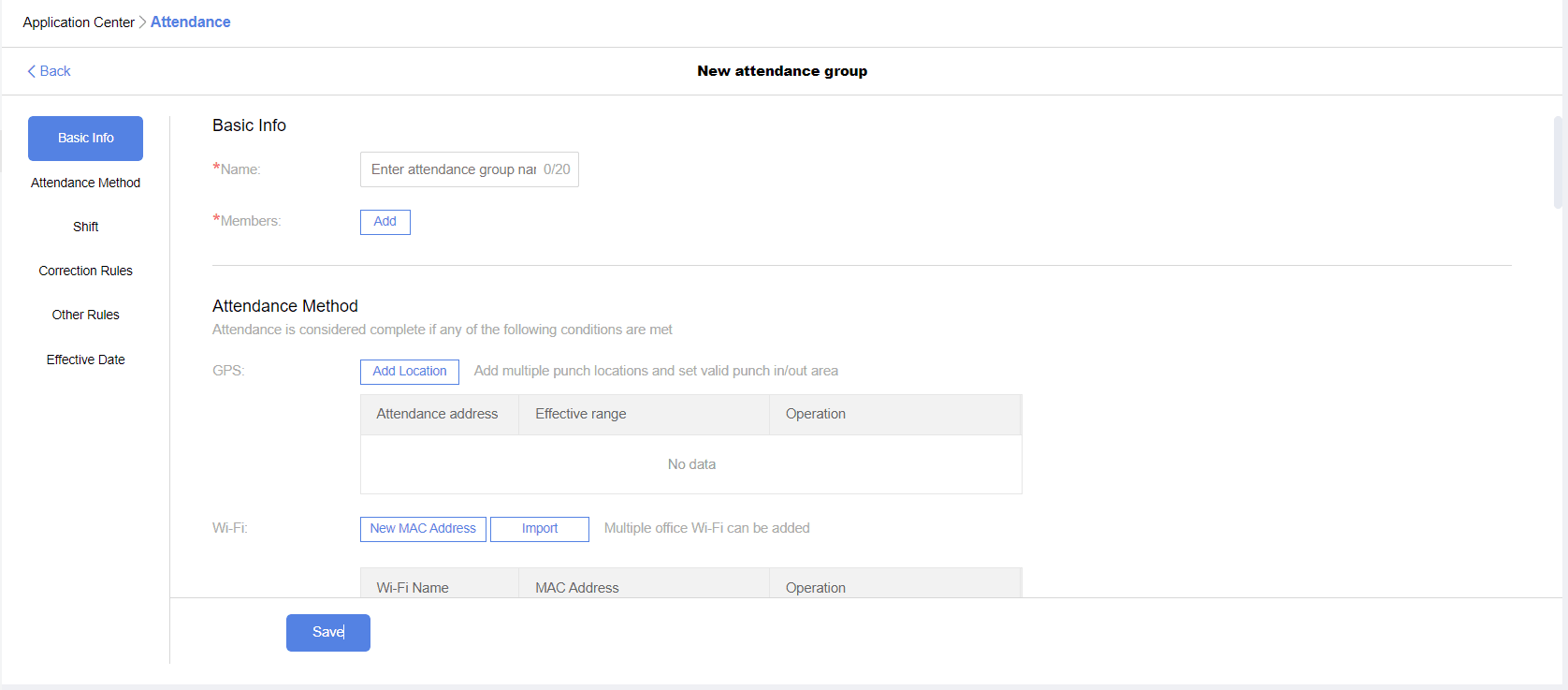
Attendance Group Settings
Group Name: Duplicate names allowed
Check-in Personnel: Supports selecting users or departments; new department members are automatically added to the group
Check-in Methods:
GPS Check-in: Can set multiple locations and ranges
WIFI Check-in: Can set MAC addresses for multiple WIFI networks; check-in by connecting to specified WIFI
Attendance Machine Check-in: After integrating the machine, can view employee attendance data in the backend
Attendance Shifts: Supports fixed, rotating, and flexible schedules
Fixed Schedule: Set daily shifts for each day of the week; unscheduled days default to rest days
Rotating Schedule: Can set individual schedules for each employee
Flexible Schedule: Select working days for each week; unselected days default to rest days
Automatic Holiday Arrangement: Only for fixed and flexible schedules; when selected, adjusts holidays and makeup days based on statutory holidays
Field Check-in: Default off; when on, group members can check in for field work
Field Check-in Requires Approval: When selected, field check-in requires submitting field work (business trip/outing) approval
Field Check-in Requires Remarks: When selected, remarks are mandatory for field check-in
Field Check-in Requires Photo: When selected, a photo is mandatory for field check-in
Allow Employees to Hide Detailed Address: When selected, specified members can omit detailed address information for field check-in
Mandatory Check-in Dates: Can change rest days to working days
No Check-in Dates: Can change working days to rest days
Make-up Check-in Rules: Default off; when on, can set monthly make-up check-in limits, time limits, and types
Other Rules: Default unselected for part-day leave; check-in required for arrival and departure
Effective Date: Tomorrow: New rules take effect the next day
Immediately: New rules take effect immediately
3、Attendance Machine
Path: Admin → [Backend] → [Workbench] → [Attendance Check-in] → [Attendance Machine Management]
Users can add fingerprints in the attendance machine and add the company's IP address to sync check-in data to the backend. Bind users who need to check in with the corresponding users added in the attendance machine to enable machine check-in.
4、Leave Management
Path: Admin → [Backend] → [Workbench] → [Attendance Check-in] → [Leave Management]
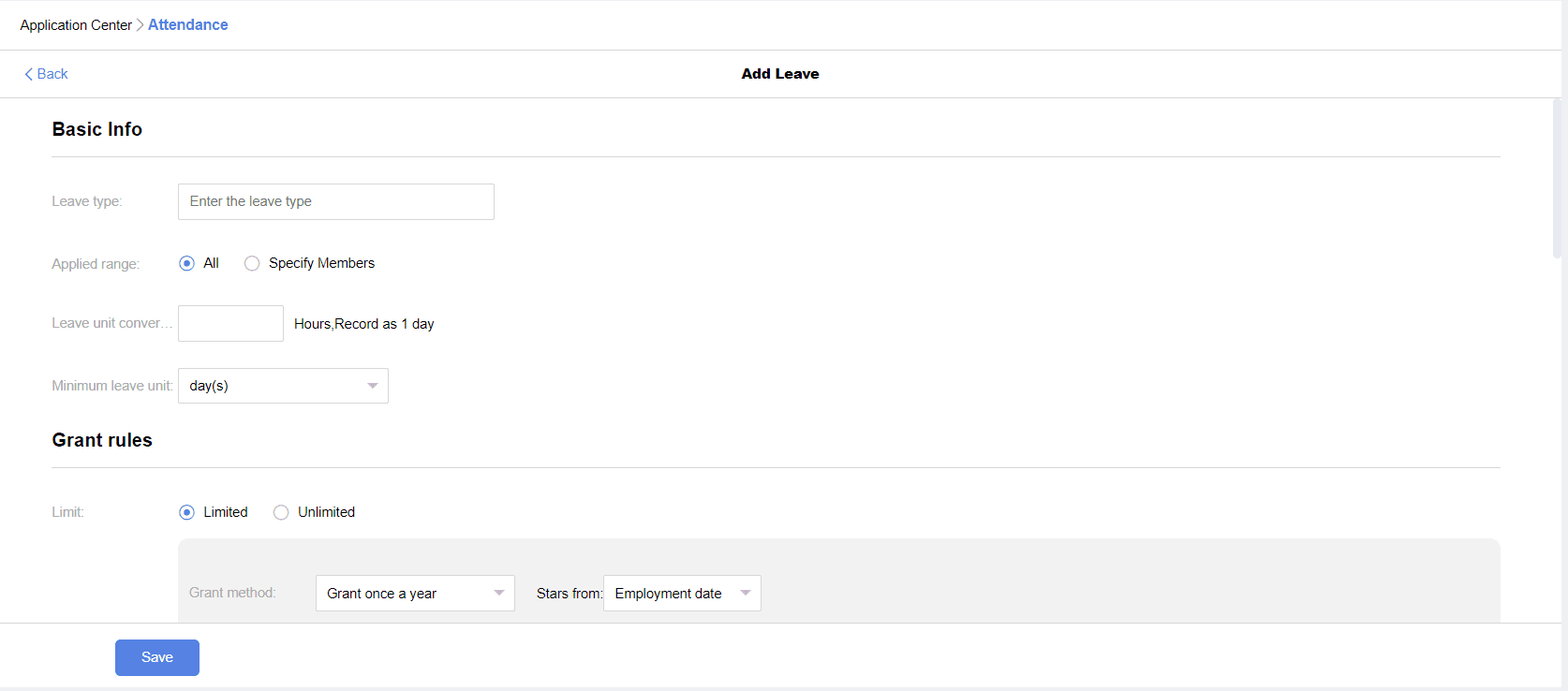
Leave Management supports regular leave (allocated based on preset rules, for sick leave, maternity leave, annual leave, compensatory time off, etc.) and nursing leave (same time off daily, no repeated approval needed, for nursing leave, etc.)
Leave Rule Settings
Leave Name: Duplicate names allowed
User Scope: Default to whole company, customizable user groups
Leave Unit Conversion: Default 8 hours/day
Minimum Leave Unit: Choose day, half-day, or hour
Limit Quota: Unlimited: No time limit for leave applications
Limited: Set rules for quota allocation (method, quantity, rounding rules, new employee rules) and validity period (expiration rules)
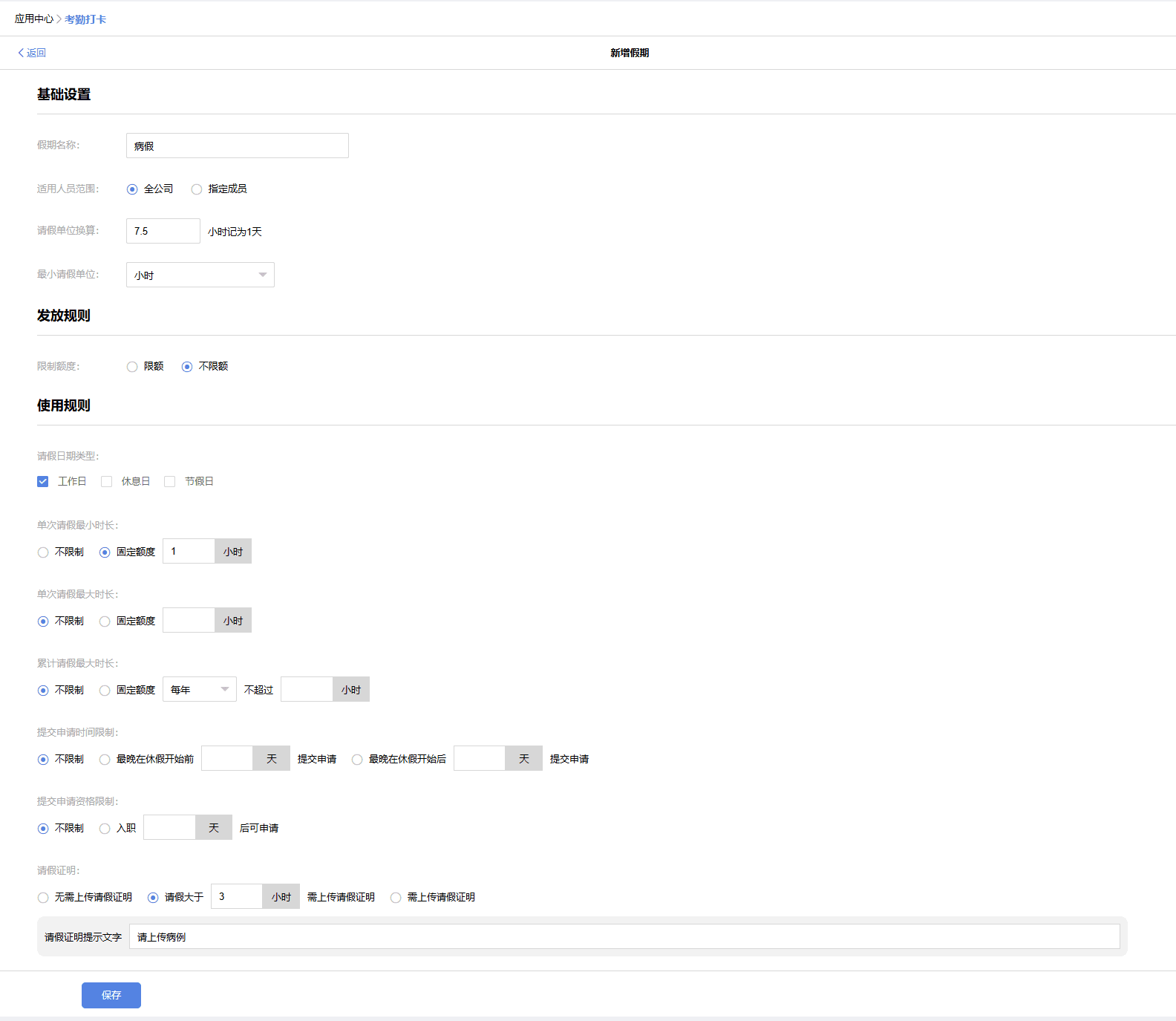
Usage Rules: Date Type: Whether leave accumulates working days, rest days, holidays
Minimum Single Leave Duration: Leave cannot be shorter than the minimum duration
Maximum Single Leave Duration: Leave cannot exceed the maximum duration
Maximum Cumulative Leave Time: Customizable, cannot exceed the maximum cumulative leave time within the period
Application Submission Time Limit: Customizable time limit before or after leave
Application Eligibility Limit: Set the number of days after joining before leave can be applied for
Leave Proof: Set whether leave proof upload is required for leave applications