
BE-Overview
Backend (Overview)
DuliDuli's management backend is a commonly used platform for administrators to manage corporate information, facilitating easy management of member information, organizational structure, and implementation of security, compliance, product settings, and other critical operations to meet various management needs of the enterprise.
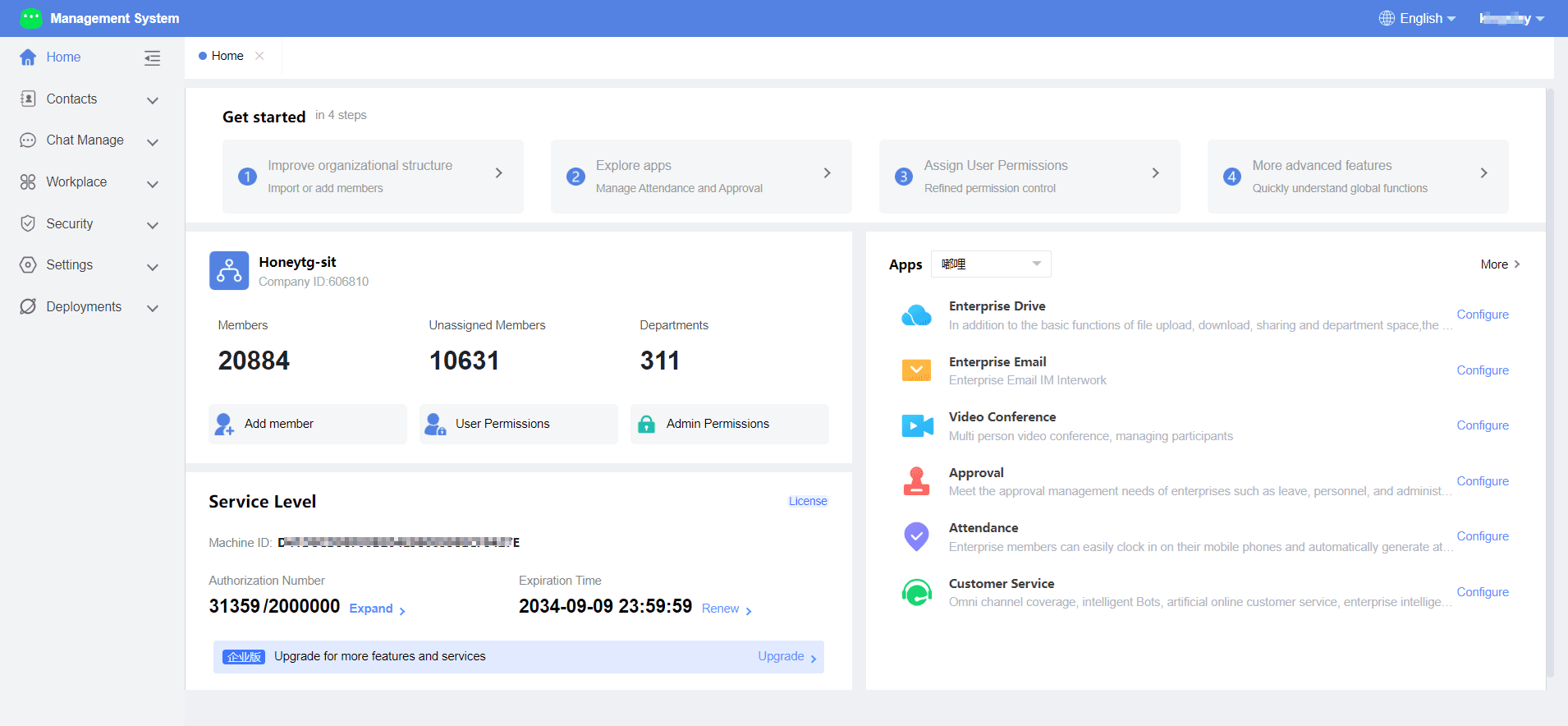
1.Navigation Bar
You can click on the function entries in the navigation bar to access and configure the corresponding functions.
Functions
Overview
Contacts
Invite new members to join the enterprise, create departments, manage user groups, set member and department fields, etc., to improve the enterprise's organizational structure, device management, role management, etc.
Chats
Manage groups within the organization and manage emojis in chats.
Workplace
Enhance the workbench configuration for the enterprise to improve member productivity.
Security & Permissions
Protect the information security of the enterprise and members by setting member permissions, administrator permissions, sensitive word management, watermark settings, interface whitelist, administrator logs, etc.
Enterprise Settings
View and modify enterprise information, and configure system parameters, update management, backup and recovery settings, etc.
Deployment
2.Enterprise Information Overview
ou can view the enterprise information number, total organization members, ungrouped members, number of departments, and other information in the enterprise information overview. You can also click to add members, member permissions, administrator permissions, to quickly access the corresponding configuration pages.
3.Entitlement Data
You can overview the number of licensed users, expiration dates, and other information of the enterprise in the entitlement section. You can also perform member expansion, service renewal operations, or click to upgrade the version to obtain more entitlements.
4.Application Management
You can view the applications in DuliDuli here, and click "Configure" to directly enter the setting page of that function.