
BE-Chat
Chat Management
1.Group Management
I. Function Overview
To enhance the hierarchical and orderly management of enterprise communication on Feishu-like platforms, administrators can create department groups and company-wide groups in the admin backend, and manage groups within the organization.
II. Operation Procedure
Creating Department/All-Staff Groups
- Log in to the Duli admin backend, navigate to Chat Management > Group Management > Group List.
- Click Create Company-wide Group/Create Department Group, select the company/department for which you want to create the group, click Next, and edit the group name and other information.
All-Staff Group
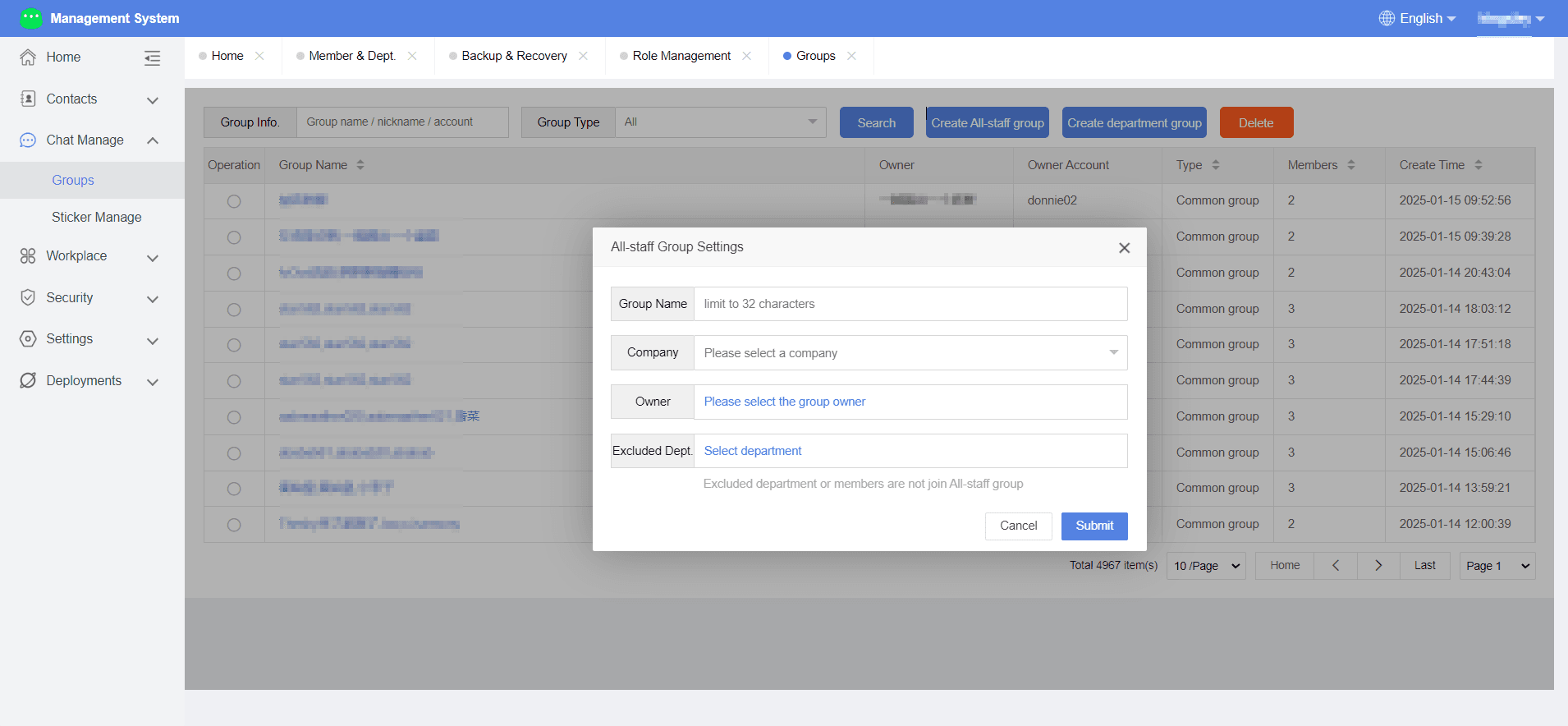
Department Group
3.Click Submit to complete group creation.
Deleting Groups
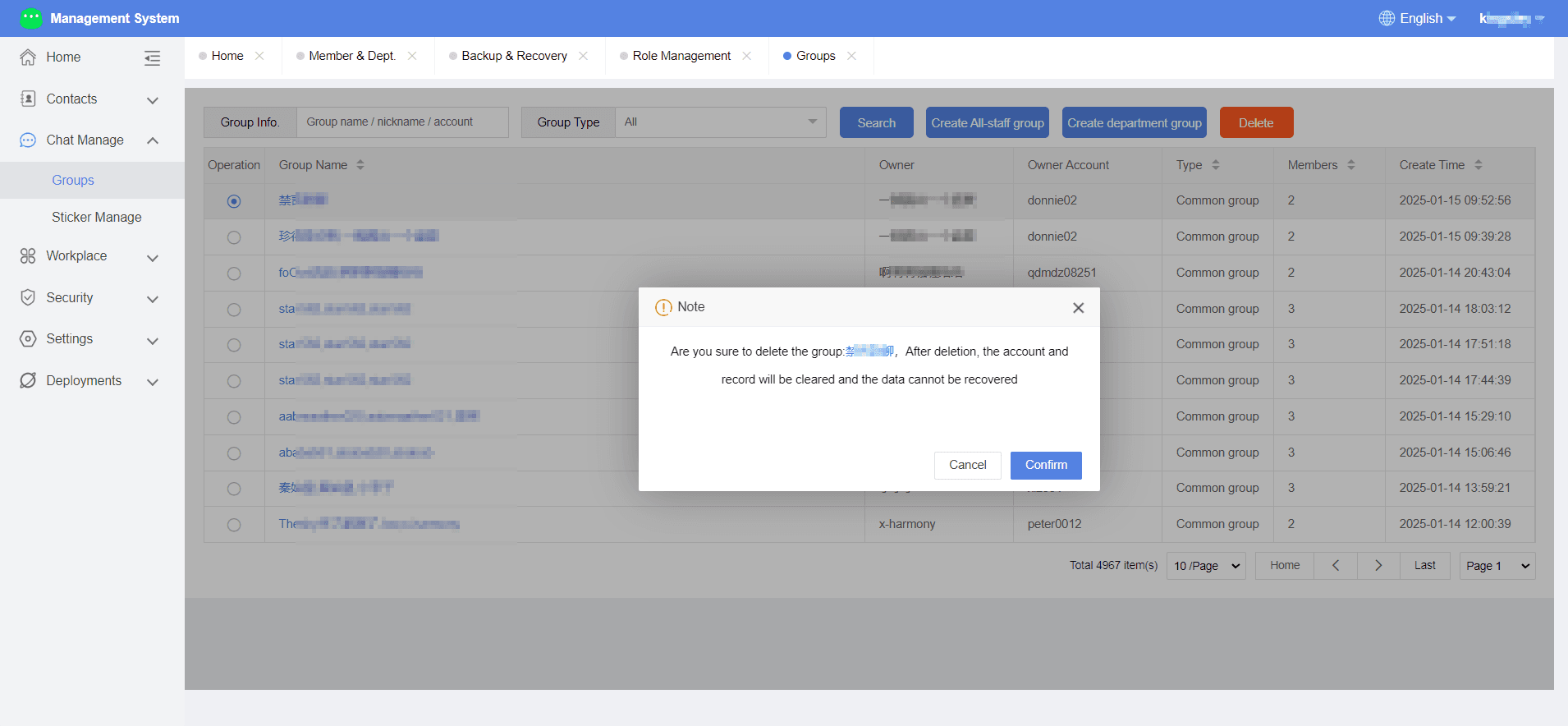
When a group is no longer needed, administrators can directly delete it in the backend.
Select the group, click Delete Group, confirm the deletion, and the group along with its message history will be removed.
Group Settings
Administrators can configure settings for company-wide, department, and regular groups in the backend.
- Company-wide Group Settings: Select the company-wide group, click the group name to edit it, choose a group owner, and specify departments that cannot join the company-wide group.
- Department Group Settings: Click the department group name to edit it, choose a group owner, etc.
- Regular Group Settings: Click the group name to edit it, choose a group owner, and manage the member list.
2.Emoji Management
I. Function Overview
In the admin backend, you can upload emoji packages, which will be synchronized to the emoji store in the chat application.
II. Operation Procedure
Adding Emojis
- Log in to the Duli admin backend, navigate to Chat Management > Emoji Management.
- Click Add, edit the emoji name, code, front-end sorting, etc., click Select File to upload a zipped emoji package to the backend.
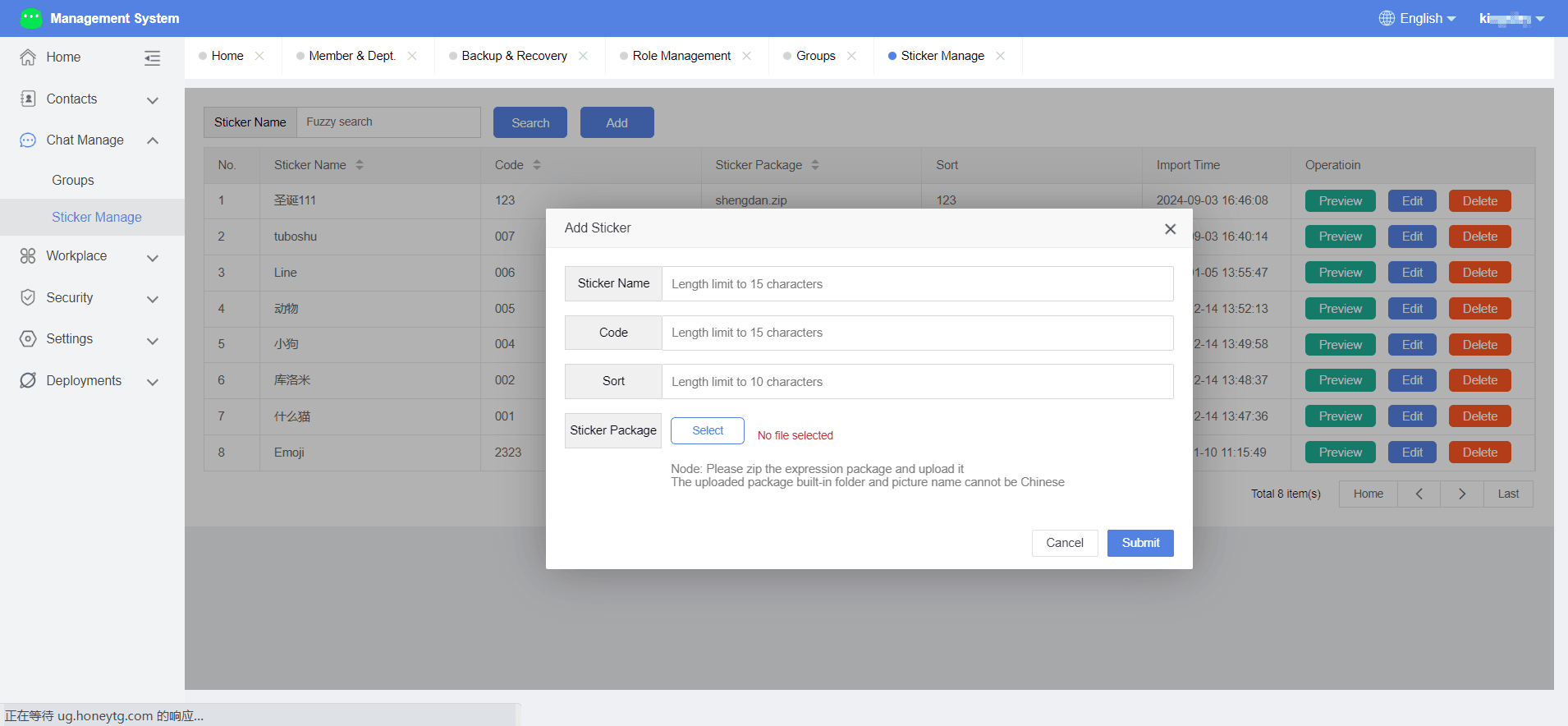
3.Click Submit to complete the emoji addition.
Other Operations
You can preview, edit, or delete emojis.
- Preview: View the emojis in the package.
- Edit: Modify the emoji name, code, front-end sorting, or resource package.
- Delete: Remove the emoji from the backend and the emoji store.