
Billing
Billing is used to view Duli AI subscription, top-up, and redemption other order records. Enterprise procurement, finance, and administrators can use billing to verify payment status, credited benefits, and historical orders.
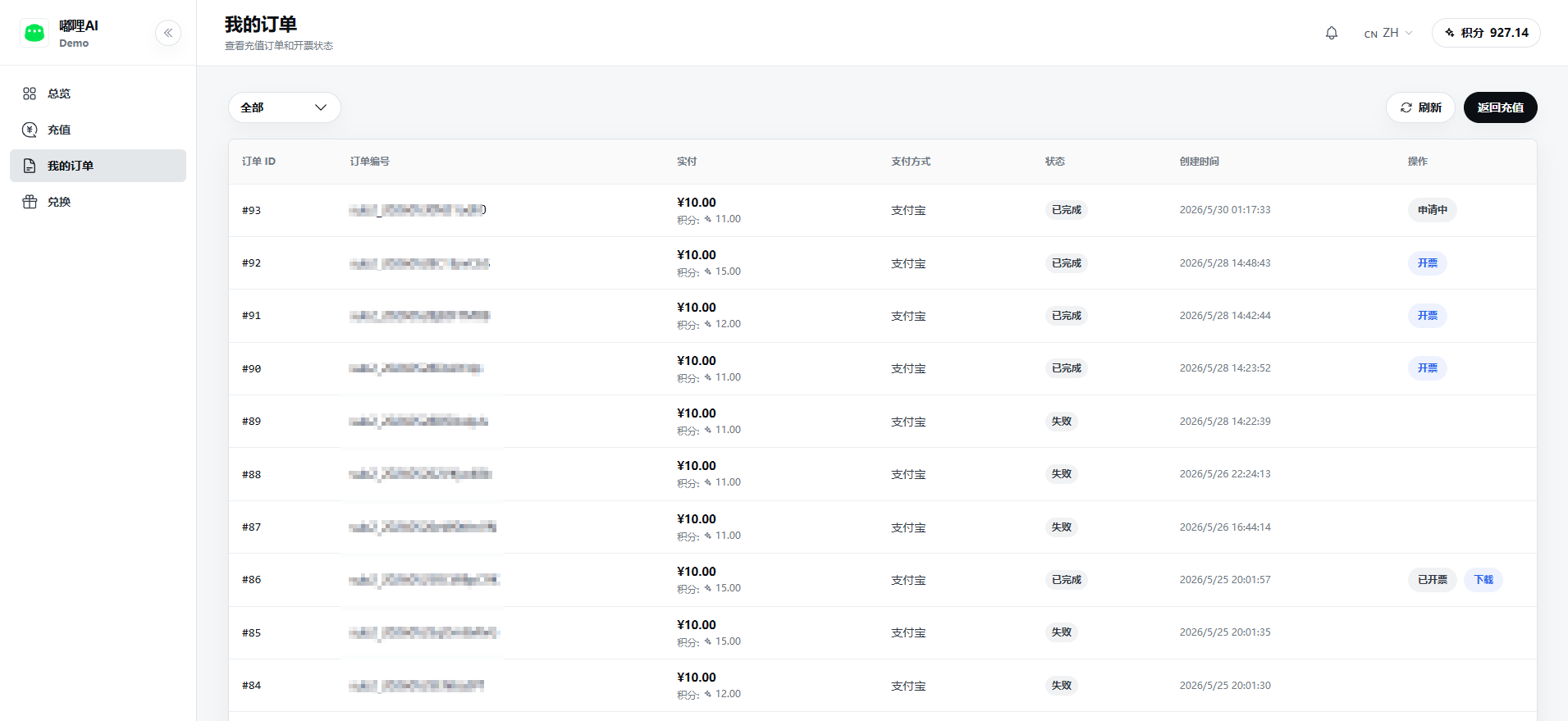
What You Can View
- Subscription package orders.
- Point top-up orders.
- Redemption code records.
- Payment status and payment method.
- Credited points or subscription benefits.
- Order creation time, payment time, and order number.
- Invoice and other processing status.
How to View Billing
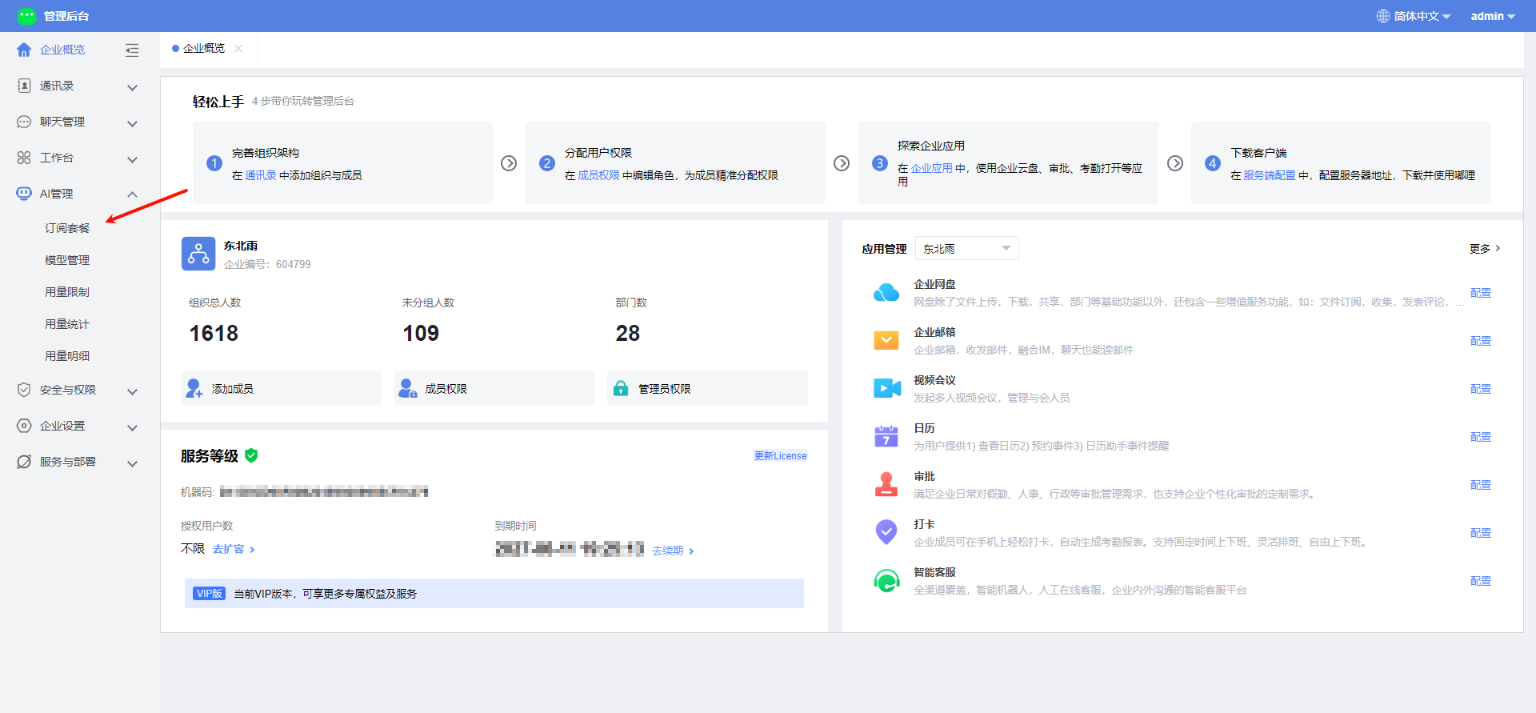
- The enterprise administrator signs in to the merchant backend.
- Go to AI Management - Subscription Package.
- After being redirected to the AI merchant portal, open My Orders or Billing.
- Filter by order type, status, or time.
- Click an order to view details.
Common Order Statuses
| Status | Description |
|---|---|
| Pending payment | The order has been created but not yet paid |
| Paying | The payment channel is processing |
| Completed | Payment succeeded, and points or subscription benefits have been credited |
| Canceled | The order was canceled by the user or system |
| Expired | The payment validity period has expired and a new order is needed |
Membership and Points Refund Rules
Membership and points belong to virtual digital goods, and the benefits will take effect immediately after activation. Therefore, once purchased, refunds or transfers for any reason are not supported. We suggest that you confirm the selected content, enterprise account, and purchase amount before making the payment.
If you encounter duplicate deductions or system abnormalities, please contact our business or customer service, and we will handle it as soon as possible.
Reconciliation Suggestions
- After a successful top-up, confirm whether the balance or points have been updated.
- After a successful subscription, confirm whether the package validity period and benefits are active.
- Before requesting an invoice, confirm that the order has been paid and meets invoice requirements.
- If payment succeeds but benefits are not credited, keep the order number and contact support.
FAQ
Why is the order amount different from the current package price?
An order keeps a snapshot of the amount and benefits at the time of purchase. Later package price changes do not affect historical orders.
Can I continue paying for a pending order?
If the order is still within its validity period, you can usually continue payment. After it expires, you need to place a new order.