
Connectors
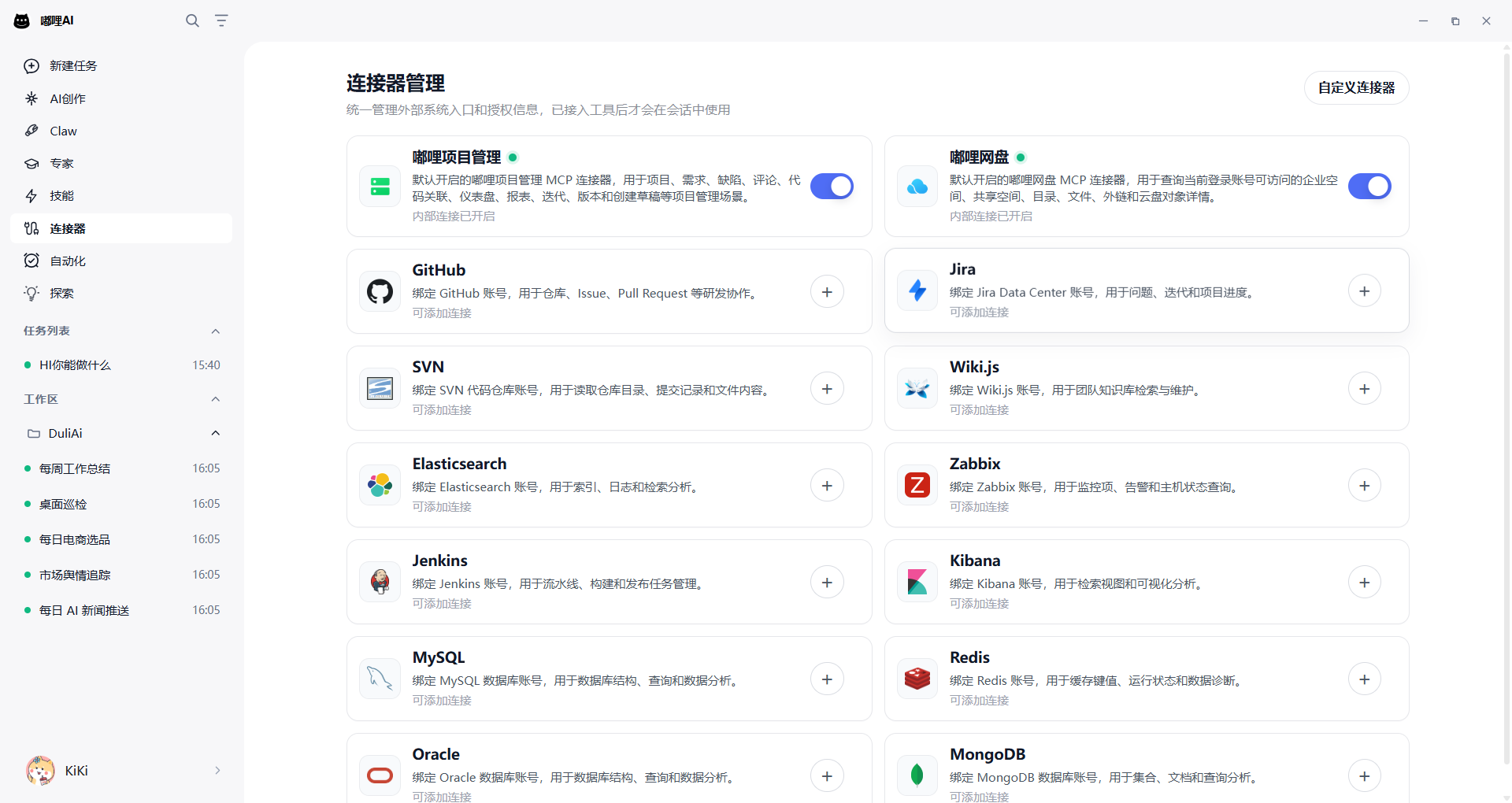
Connectors link Duli AI with enterprise internal systems. After configuration, you can let AI read external system data within the authorized scope during a conversation, such as code repositories, project systems, knowledge bases, monitoring systems, and databases.
What Problems Connectors Solve
Previously, you might have needed to open multiple systems and copy content into AI manually. Connectors allow AI to read information directly from the corresponding system after authorization and answer based on real results.
Common scenarios include:
- Query requirements, defects, and iteration progress in Jira.
- Summarize why a Jenkins build failed.
- View recent changes in SVN or GitHub repositories.
- Read policies, SOPs, or knowledge documents from Wiki.js.
- Query logs and alerts in Elasticsearch, Kibana, and Zabbix.
- Read authorized data from MySQL, Redis, Oracle, and MongoDB.
Supported Connector Types
The first batch of connectors focuses on enterprise development, operations, knowledge base, and database scenarios, including:
| Category | Connector Examples | Common Uses |
|---|---|---|
| Code and development collaboration | GitHub, Jira, SVN, Jenkins | Repositories, tasks, defects, builds, releases |
| Knowledge base and documents | Wiki.js | SOPs, policies, knowledge entries |
| Operations and observability | Elasticsearch, Kibana, Zabbix | Logs, alerts, monitoring status |
| Databases | MySQL, Redis, Oracle, MongoDB | Structured queries, statistical analysis, data troubleshooting |
Actual available connectors depend on your current client version and enterprise administrator configuration.
How to Configure a Connector
- Open the Duli AI client.
- Go to the Connectors page.
- Select the system you want to connect.
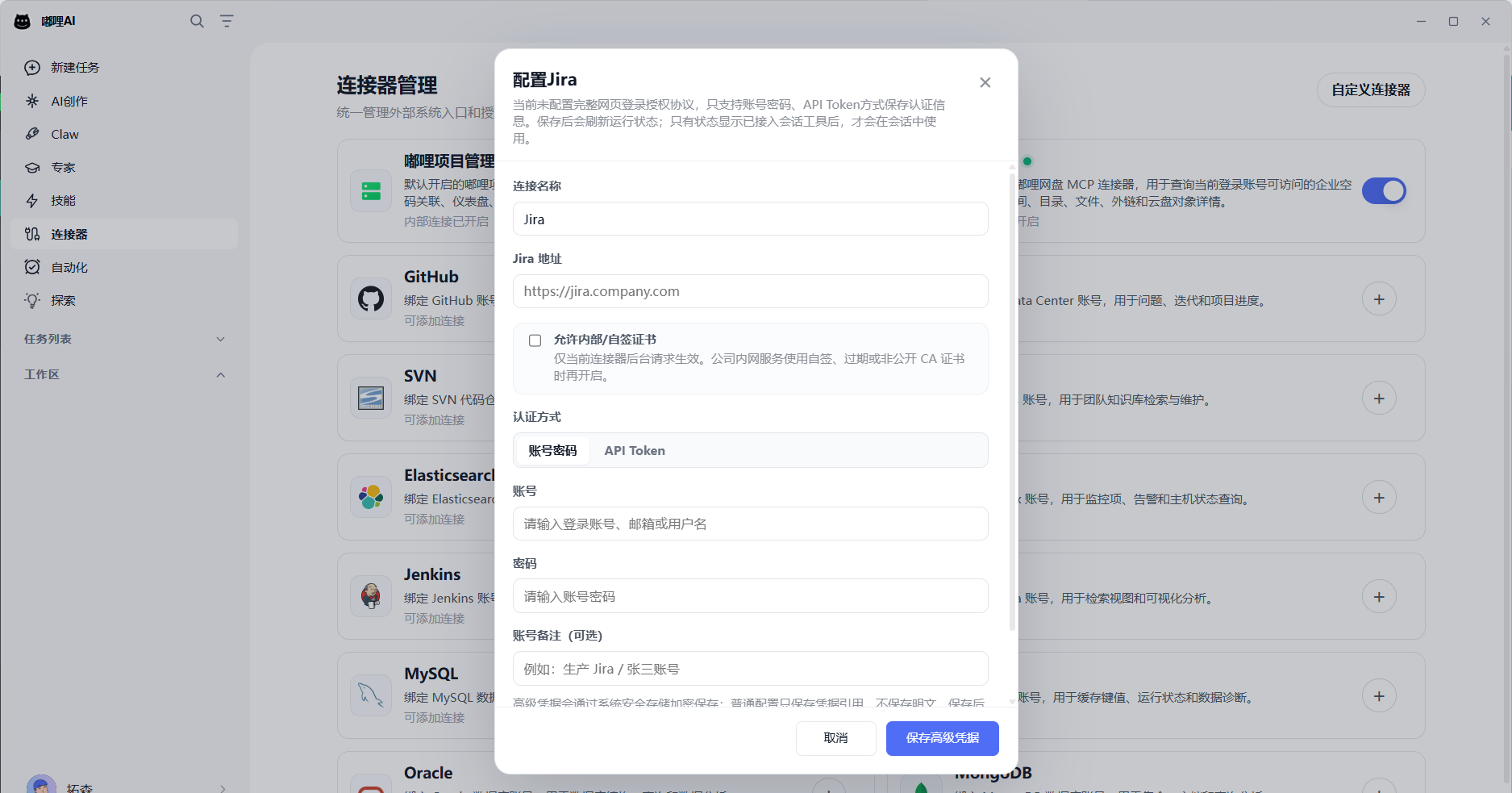
- Enter the service address and account information, or complete authorization as prompted.
- Click Connect or Test Connection.
- After the connection succeeds, enable the connector in a conversation.
How to Use Connectors in a Conversation
After a connector is configured successfully, you can ask questions like:
- "Summarize this week's open P1 defects for this project."
- "Find out why the latest build failed."
- "Find the new employee onboarding process from the Wiki and turn it into a checklist."
- "Query login failure logs from the last hour and group them by abnormal IP."
- "Count order volume over the last 30 days and group by status."
AI first checks whether the connector is available, then reads results from the corresponding system. It answers based on real results only after data is retrieved.
Security Notes
- Connectors are read-only by default in the recommended first release.
- Passwords, tokens, access keys, and other sensitive information are not shown in plain text on regular pages.
- Connectors can only access configured service addresses and authorized data scopes.
- Answers try to preserve source information so you can verify results in the original system.
FAQ
What is the difference between a connector and a skill?
A connector connects to an external system, while a skill is more like a method or workflow for handling a problem. In short, connectors get the data, and skills decide how to process it.
Why did the connector fail to connect?
Common causes include unreachable service address, incorrect account or password, enterprise network restrictions, certificate issues, or insufficient permissions for the current account.
Will AI automatically modify external system data?
The first release is recommended to focus on read-only queries. For high-risk operations such as writing, deleting, or publishing, follow actual product permissions and confirmation flows.