
Duli Cloud Drive Assistant
Duli Cloud Drive Assistant helps you ask questions, summarize, and organize files, folders, and knowledge materials in the enterprise cloud drive. It is useful when there are many files, content is scattered, and key information needs to be extracted quickly.
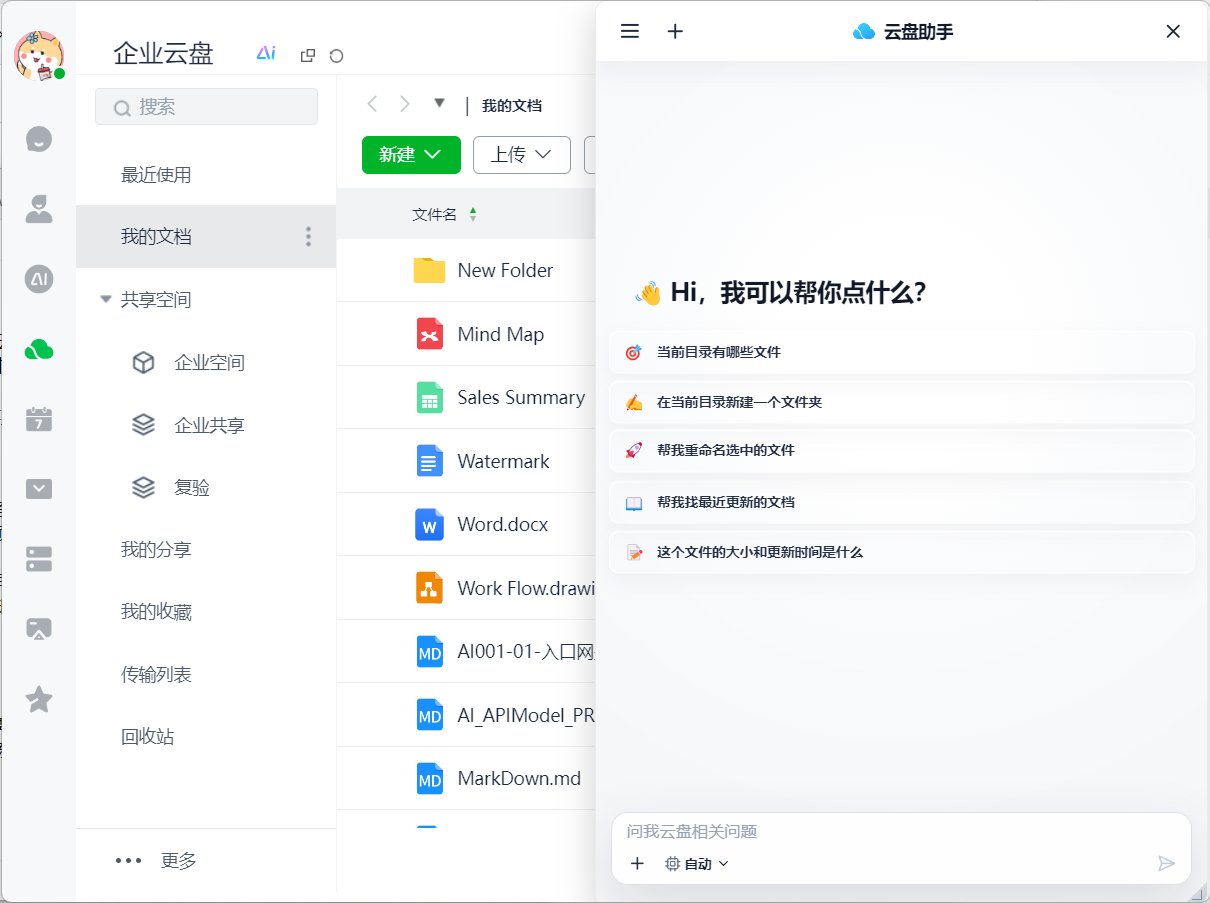
What It Can Do
- Answer questions based on cloud drive files you are allowed to access.
- Summarize documents, spreadsheets, policies, proposals, or project materials.
- Organize file lists from folders.
- Extract shared conclusions, differences, and action items from multiple files.
- Help generate meeting materials, project descriptions, knowledge summaries, and similar content.
Suitable Scenarios
- New employees want to quickly understand a policy document.
- Project members want to summarize requirement materials in a folder.
- Managers want to extract highlights from weekly reports or proposals.
- Support or sales teams want to quickly find product materials, contract templates, or delivery documents.
How to Use
- Open Duli AI or the AI entry in Duli Cloud Drive.
- Select Duli Cloud Drive Assistant.
- Select the file, folder, or cloud drive space you want to ask about.
- Enter your question, such as "Summarize the key items in this folder."
- Review the answer and continue asking follow-up questions or request a document to be generated.
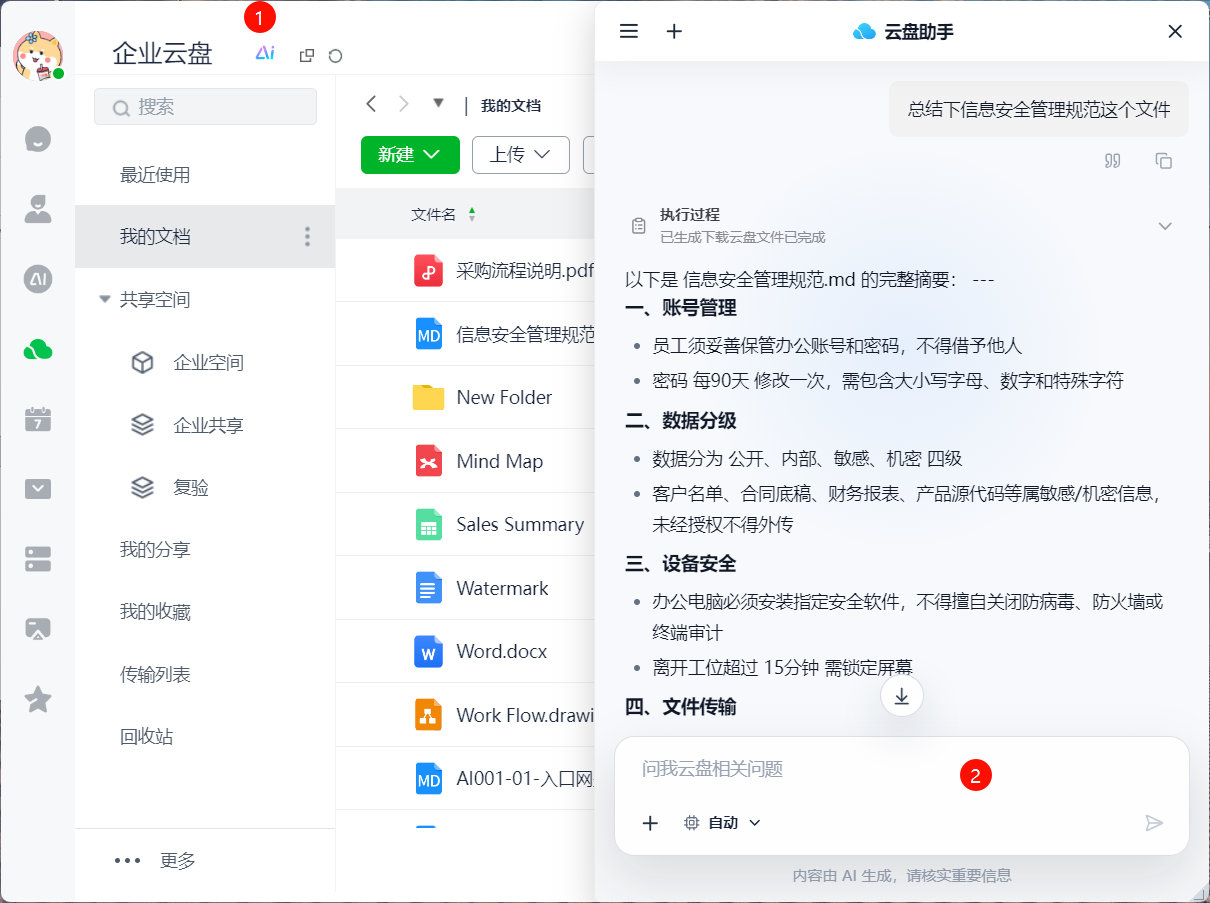
Example Prompts
- "Summarize the key goals, risks, and next steps in this project proposal."
- "Help me find documents related to contract approval in this folder."
- "Turn these weekly reports into an executive summary."
- "What does this policy say about the reimbursement deadline?"
Permission Notes
Cloud Drive Assistant can only answer based on files you have permission to access. Files you cannot view will not be used in answers.
FAQ
Will Cloud Drive Assistant automatically read all enterprise files?
No. It only reads materials within the range you select, authorize, or associate with the current session, and it follows enterprise cloud drive permissions.
What should I do if the answer cannot find the file I need?
Make sure the file is included in the selected range and that you have access permission. You can also provide a more specific file name, folder name, or keyword.