
Invoice
After an enterprise purchases a Duli AI subscription package or tops up points, it can request an invoice according to platform invoicing rules. The specific invoice scope, type, and processing time are subject to the business contract or platform rules.
Prepare Before Applying
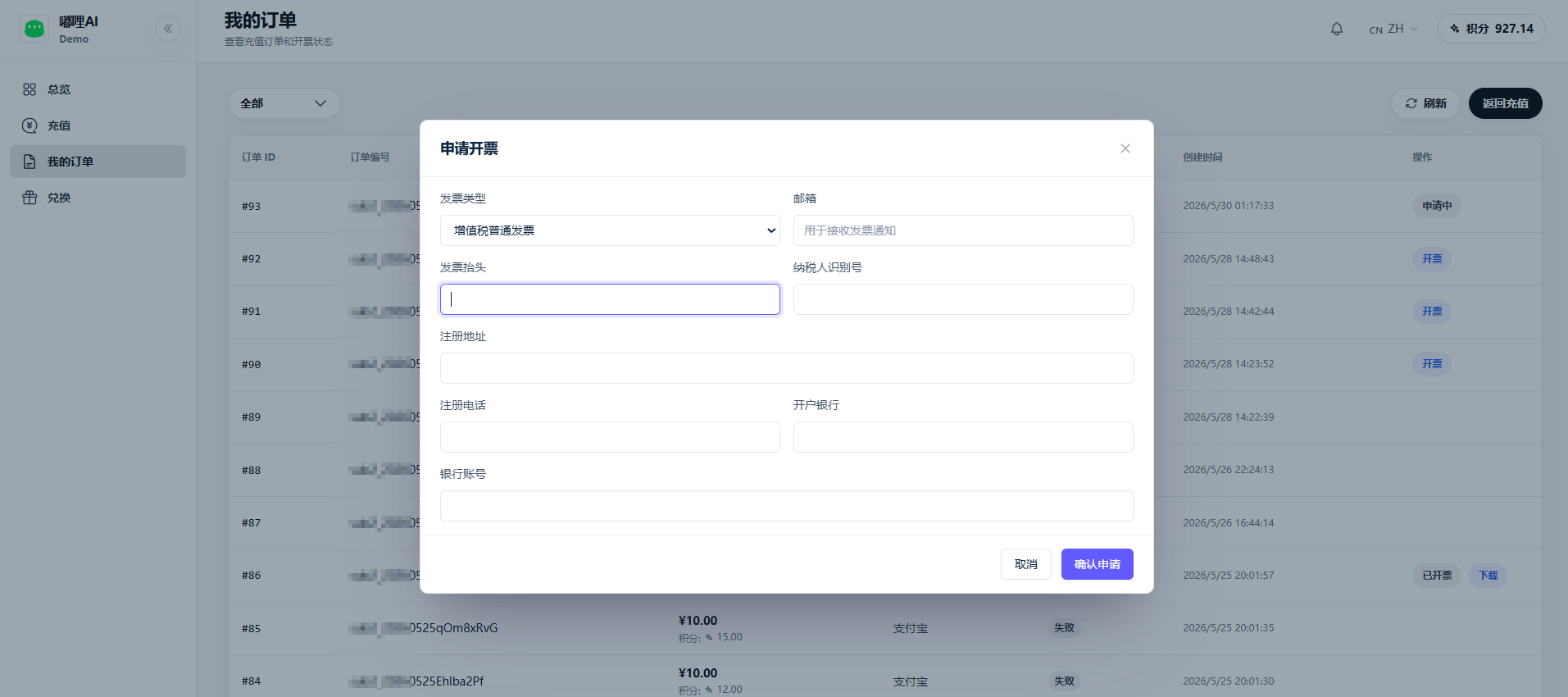
Prepare the following information in advance:
- Order number.
- Purchasing entity or enterprise name.
- Taxpayer identification number.
- Invoice type and invoice amount.
- Receiving email, contact person, and contact information.
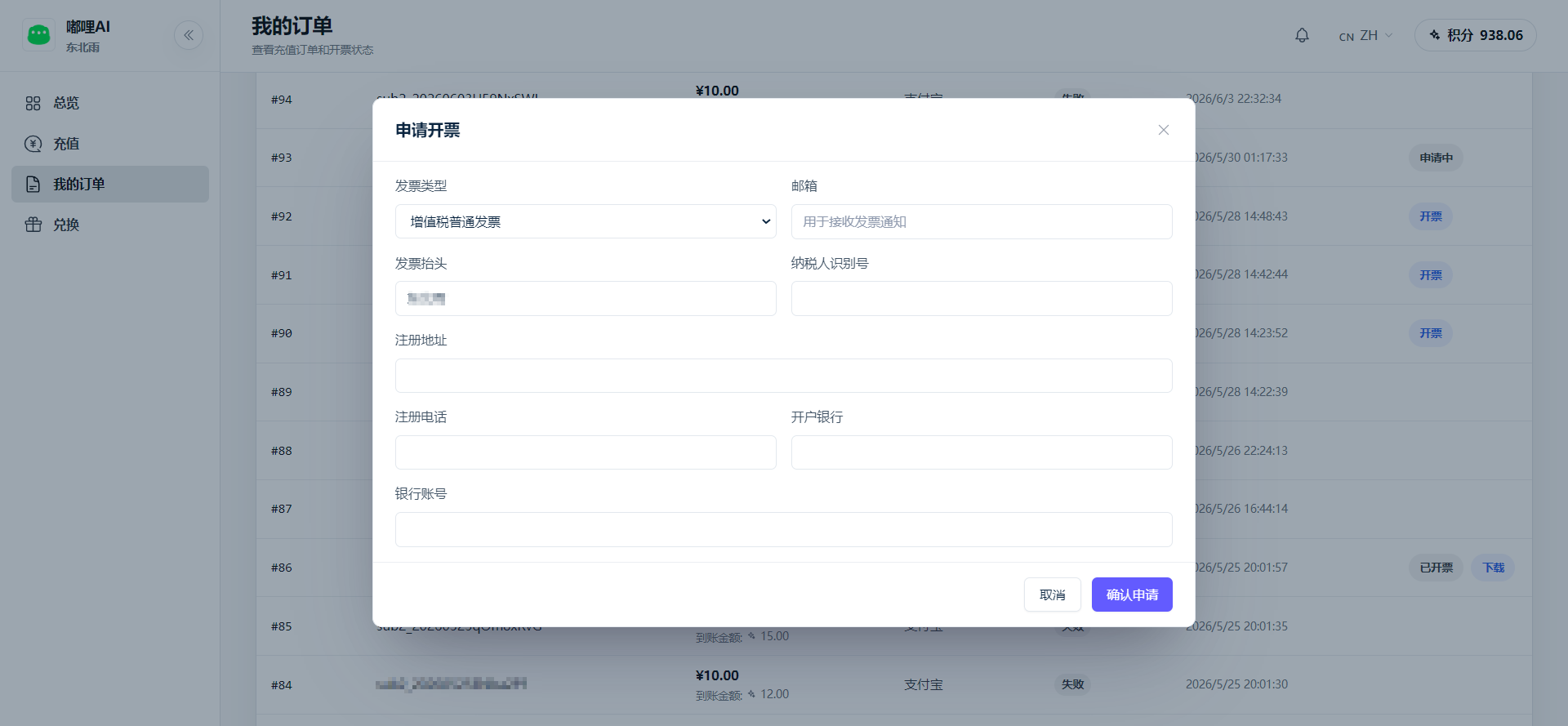
- If a special VAT invoice is needed, prepare registered address, phone number, bank name, and account number according to enterprise requirements.
How to Request an Invoice
- The enterprise administrator signs in to the merchant backend.
- Go to AI Management - Subscription Package.
- In the AI merchant portal, open My Orders or Invoice.
- Select a paid order that is eligible for invoicing.
- Fill in invoice information and submit.
- Wait for platform review and invoicing.
Check Invoice Status
Common statuses include:
| Status | Description |
|---|---|
| Not requested | The order has not been submitted for invoicing |
| Under review | Invoice information has been submitted and is waiting for processing |
| Issued | The invoice has been issued and can be viewed or downloaded |
| Rejected | The information is incomplete or does not meet rules; modify and resubmit |
Notes
- Unpaid or cancelled orders usually cannot be invoiced.
- Enterprise users are advised to have procurement or finance request invoices centrally to avoid duplicate requests.
- Invoice title, amount, and order must match.
- For invoice replacement or red-letter invoice, contact sales or support to confirm the process.
FAQ
Can point top-ups be invoiced?
Usually paid top-up orders can request invoices according to platform rules. The exact result depends on the actual order and contract terms.
What should I do if invoice information is incorrect?
If the invoice has not been issued, modify and resubmit it. If it has already been issued, contact support to handle replacement or red-letter invoice processing.