
Skill Center
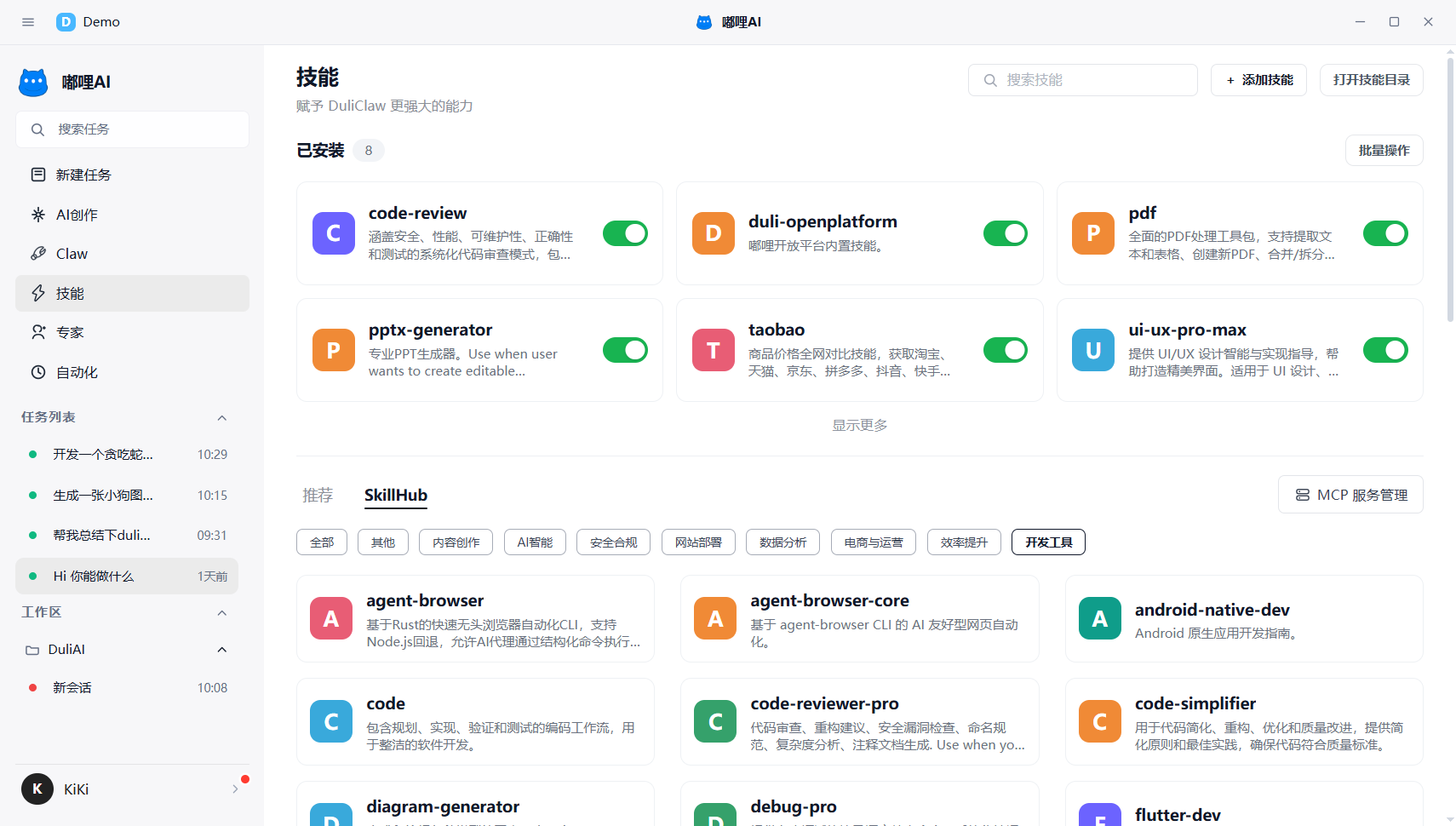
The Skill Center is used to view and manage currently available skills. You can think of it as the place where DULI AI expands its capabilities.
1. What you can do here
- View installed skills
- View recommended skills
- Search for skills
- Install or upgrade skills
- Enable or disable skills
- Import local skills
- Open the skills directory
- Manage MCP services
2. Common usage patterns
2.1 View skills
After entering the Skill Center, first review installed and recommended skills to quickly understand your current capability range.
2.2 Search for skills
If you know what you are looking for, search by skill name, description, category, or tag.
2.3 Install or upgrade skills
Once you find a suitable skill, install it directly. If an installed skill has an upgrade prompt, update it in time.
2.4 Enable or disable skills
If a skill is not currently needed, you can disable it first instead of uninstalling it immediately.
2.5 Import local skills
If you already have local skill files, you can import them directly from the Add Skill entry.
2.6 Manage MCP services
If some capabilities rely on external services, open MCP Service Management in the Skill Center to view and maintain the available services.
3. Recommendations
- Regular users should focus first on Installed and Recommended
- If there are too many similar skills, keep only the most frequently used ones
- Before upgrading a skill, confirm whether the current version is heavily in use
- If you are unsure whether a task needs a skill, start by asking directly and add the skill only when needed
4. Frequently asked questions
4.1 Do I need to install a skill before I can use it?
In most cases, yes. Skills usually need to be installed first before they can be used reliably in tasks. For ordinary questions, you can start the task first and add skills later if needed.
4.2 Is having more skills always better?
Not necessarily. It is better to keep a compact set of stable, frequently used skills rather than too many options that increase management overhead.