
Expert Team
1. Overview
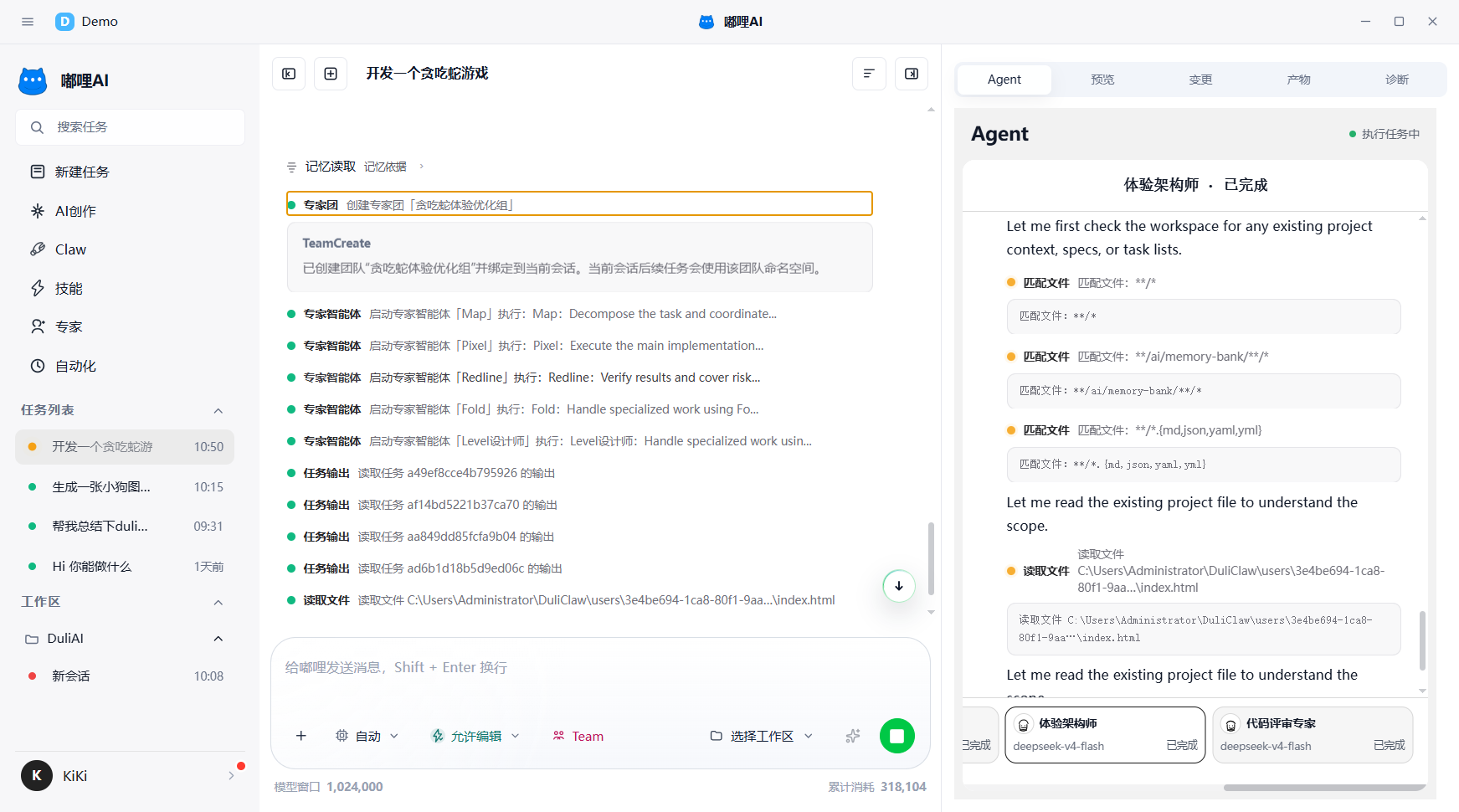
Expert Team is designed for complex tasks. After it is enabled, the system first breaks down the task and creates a role split, then multiple members collaborate to complete it, and finally the results are summarized.
2. When to use Expert Team
Expert Team is more suitable when:
- The work must be split into multiple subtasks and advanced in parallel
- Different professional roles are involved at the same time
- The task needs research, analysis, execution, and review together
- The task contains many steps, a lot of material, or complex context
3. How to enable it
- Enter the task in the chat workspace.
- Turn on
Expert Team Modein the input area. - Add any required attachments, skills, workspace, or constraints.
- Submit the task and wait for the system to generate the decomposition and role split.
4. What you will see
After enabling it, you will usually see the following stages:
- Task goal organization
- Task decomposition confirmation
- Expert arrangement
- Capability authorization
- Multi-member execution
- Final summary
5. How to read the main conversation area
The main conversation area usually includes:
- The goal description of this task
- Subtasks broken down by the system
- Which members are currently involved
- What each member is responsible for
- Whether your confirmation or authorization is currently required
6. How to read the Agent panel
The right-side Agent panel is the core area for checking Expert Team status. You can view:
- Member list
- Current role
- Progress status
- Result summary
- Waiting reason or failure reason
7. Recommendations
- Do not enable Expert Team by default for simple tasks
- For complex tasks, clarify the objective first and then enable Expert Team
- If the task depends on local files, bind a workspace first
- If you want to review a plan before execution, combine it with Plan mode
- If the objective is still unclear, add more constraints before starting Expert Team
8. Frequently asked questions
8.1 Will Expert Team make tasks unnecessarily complicated?
It is not recommended for simple tasks. It is better suited to tasks that already require multiple roles, many steps, or complex source material.
8.2 After enabling Expert Team, do I still need to participate?
It depends on the task. Usually you need to clarify the target at the beginning. If capability authorization, direction confirmation, or extra information is needed later, just respond when prompted.